![vedubox-logo-1X-1.png]](https://support.vedubox.com/hs-fs/hubfs/vedubox-logo-1X-1.png?height=25&name=vedubox-logo-1X-1.png)
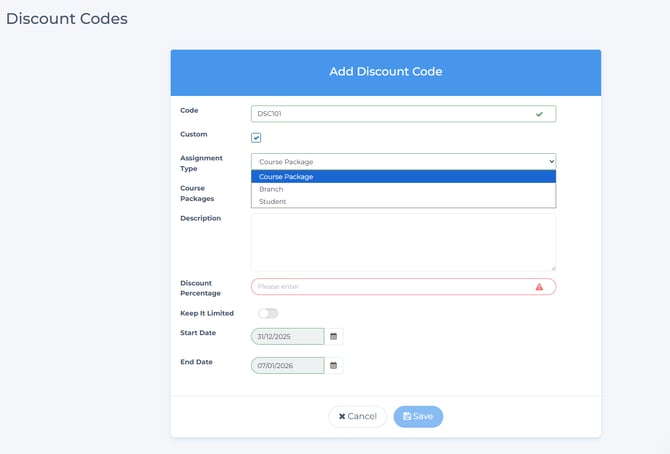
1- On the Discount Codes page, “User Type” has been added to the assignment types.
It will be possible to define discount codes specific to a user.
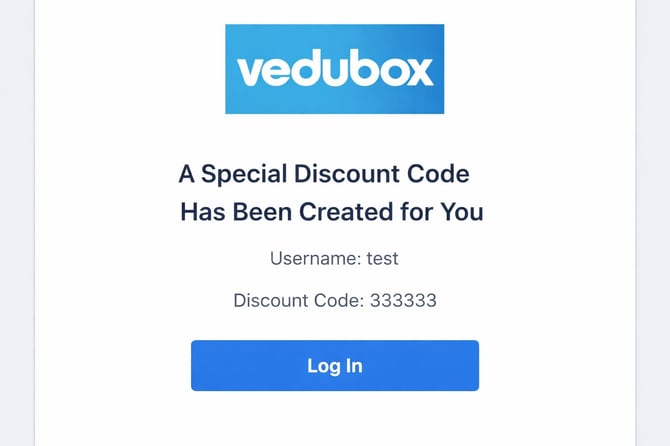
Sent email example:
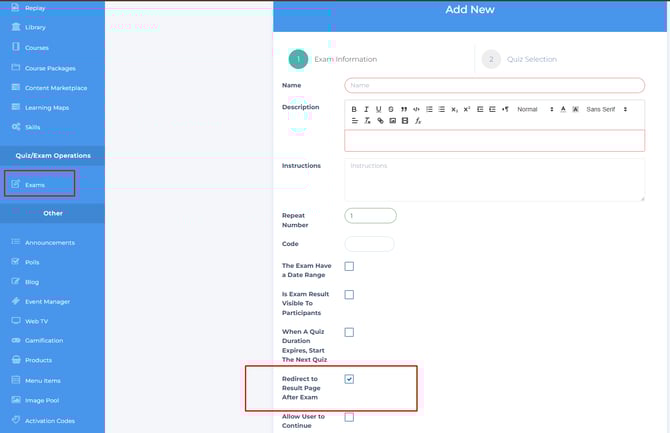
2- An option to redirect to the results page after the exam has been added to the Exams page.
If the setting is enabled, the user will be redirected to the results page after completing the exam.
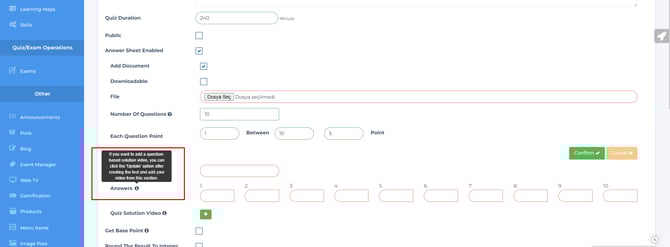
3- Info has been added to the answers section in the optical test addition step.
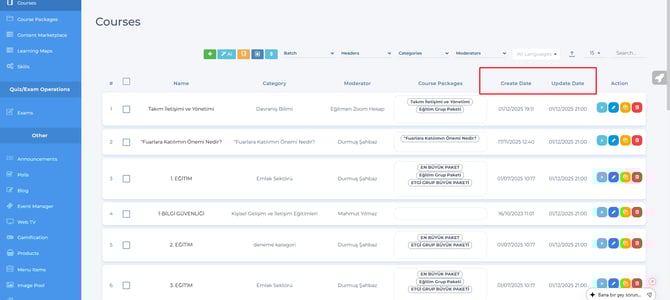
4- Sorting logic has been added to the Creation date and Update date fields on the Training
page.
By clicking on the text, the data can be sorted again according to the old order.
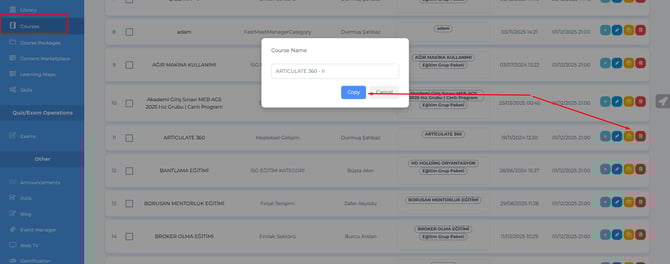
5- The ability to edit the name of the training has been added to the training page during the
copying process. The name of the training to be copied can be edited in the section that opens.
6- A Site Title setting has been added to the Appearance Settings page.
The site title can be changed from this area.

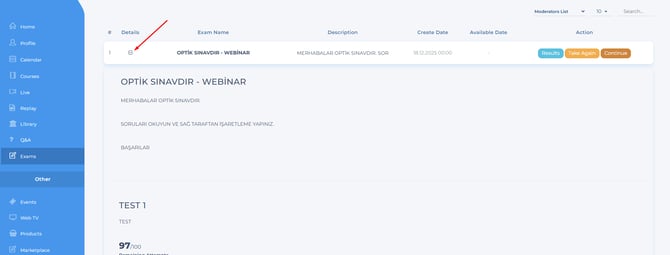
7- The data in the top column of the User – Unattended Exams page has been moved to the View
Details section.
have been moved to the View Details section. The tests within the exam can also be viewed here. Old
layout,
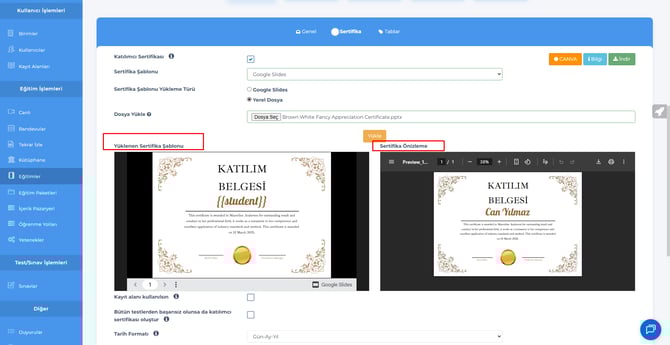
8- The Certificate Preview feature has been added to the Certificate Add step under Trainings.
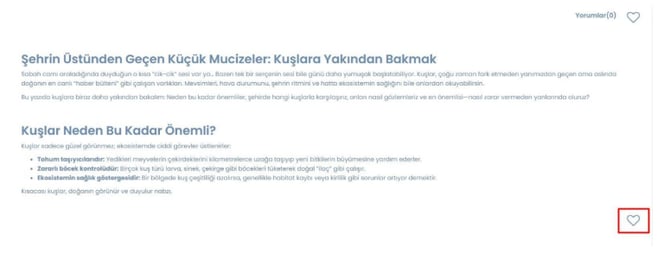
10- User – Due to difficulties in adding long blog posts to favorites on the blog page, a favorite
button has been added to the bottom section.
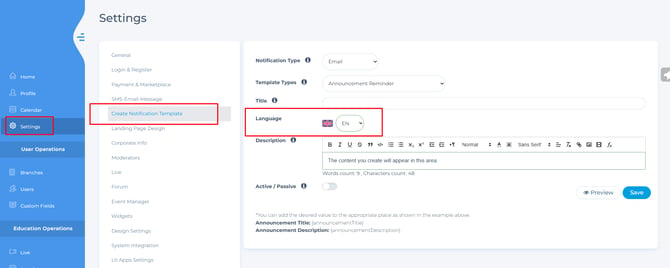
11- Settings – Language setting has been added to the notification template
creation page. Messages sent to users in TR and other languages can be customized.
The selected template will be displayed to the user based on the system's default language.
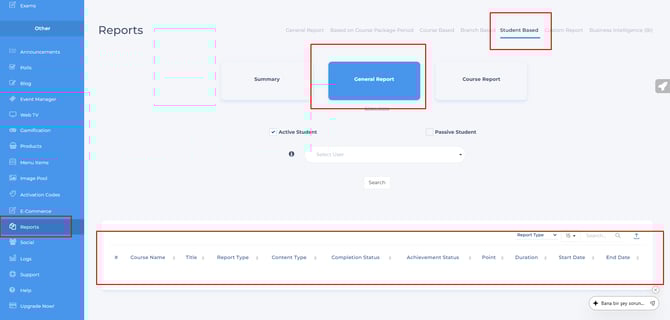
12- Admin – Reports – User Report – In the general report area, it was not entirely clear which
content was associated with which report type, so the "Content type" column has been added and
organized.
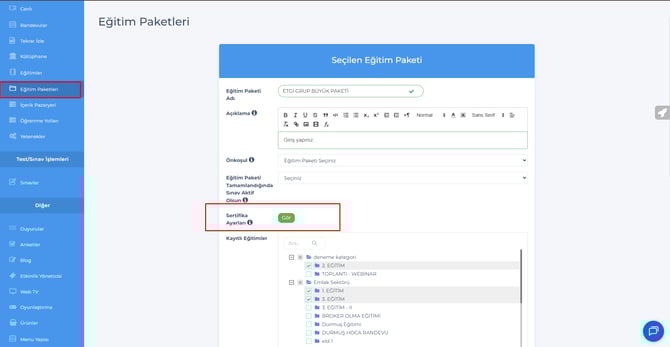
13- The Certificate Settings feature has been added to the Training Packages – Update page.
Certificates can be added to training certificates from this area.
After creating a training package, certificates can be added from this page using the update feature.
FİXED ISSUES
The link shared on the Training and Exams page was not opening for other roles; this
has been fixed.
When a live training was added, it was not visually reflected in the live widget
area; this has been fixed.
The setting that allowed instructors to take training was disabling the blog addition feature; this
has been fixed.
The "End Exam" button was missing on the last question in the tests added to the training
sessions; it has been added.
The trial corporate-type user guide was malfunctioning; it has been fixed.
The question-test category texts on the exam results page have been reorganized as test-
categories.
In the live module, when adding multiple live sessions, it was not setting them according
to the first date; this has been fixed.